Multiplayer System Guide
This document explains how the multiplayer system works in Grid Builder, covering the client, game server, and Strapi CMS integration.
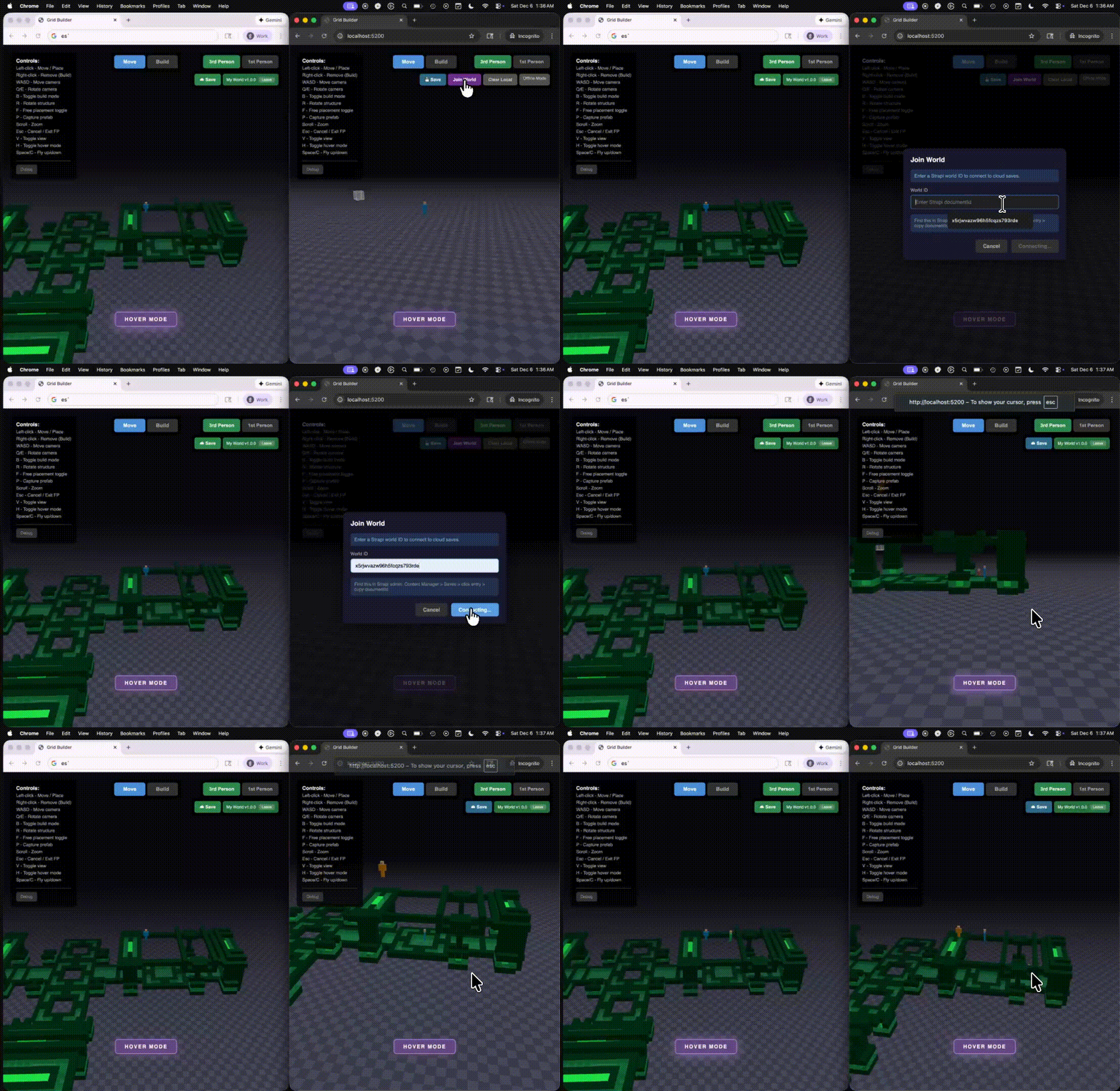
Table of Contents
- Architecture Overview
- WebSocket Communication
- Client State vs Server State
- Component Responsibilities
- Connection Flow
- World Persistence
- Real-time Synchronization
- Message Protocol
- Client Implementation
- Server Implementation
- Strapi Configuration
Architecture Overview
The multiplayer system uses a three-tier architecture:
graph TB
    subgraph "Clients (Browser)"
        C1[Client 1<br/>NetworkManager]
        C2[Client 2<br/>NetworkManager]
        C3[Client N<br/>NetworkManager]
    end

    subgraph "Game Server (Node.js)"
        GS[GameServer<br/>WebSocket :3001]
        GL[Game Loop<br/>20 ticks/sec]
        WM[World Memory<br/>blocks Map]
    end

    subgraph "Strapi CMS"
        API[REST API<br/>:1337]
        DB[(Database<br/>saves collection)]
    end

    C1 <-->|WebSocket| GS
    C2 <-->|WebSocket| GS
    C3 <-->|WebSocket| GS
    GS --> GL
    GL --> WM
    WM <-->|REST API| API
    API <--> DB

    style GS fill:#4a9eff,color:#fff
    style API fill:#8b5cf6,color:#fff
Key Principles
- Server-Authoritative: The game server is the single source of truth for ALL game state
- Client-Driven World Selection: Clients specify which world to join via Strapi document ID
- Input-Based Sync: Clients send inputs, server calculates positions
- Real-time Sync: Block changes broadcast immediately to all connected clients
- Persistent Storage: World state saved to Strapi CMS (auto-save every 10 seconds)
WebSocket Communication
What is a WebSocket?
WebSocket is a protocol that enables persistent, bidirectional communication between client and server over a single TCP connection. Unlike HTTP (request-response), WebSocket allows:
- Server push: Server can send data to clients anytime without a request
- Low latency: No HTTP overhead for each message
- Persistent connection: Connection stays open for the session duration
How WebSockets Work in Grid Builder
sequenceDiagram
    participant C as Client (Browser)
    participant WS as WebSocket
    participant S as Server (Node.js)

    Note over C,S: Connection Handshake
    C->>S: HTTP Upgrade Request
    S-->>C: 101 Switching Protocols
    Note over C,S: WebSocket Connection Established

    Note over C,S: Bidirectional Communication
    C->>S: JSON message (inputs)
    S->>C: JSON message (state update)
    S->>C: JSON message (player joined)
    C->>S: JSON message (block placed)

    Note over C,S: Connection Close
    C->>S: Close frame
    S-->>C: Close acknowledgment
WebSocket Lifecycle
// Client-side WebSocket setup (NetworkManager.ts)
connect(): void {
  this.ws = new WebSocket("ws://localhost:3001");

  this.ws.onopen = () => {
    // Connection established - send join message
    this.send({ type: "client:join", worldId: this.config.worldId });
    this.startInputSending();  // Begin 20Hz input loop
    this.startPinging();       // Begin latency measurement
  };

  this.ws.onmessage = (event) => {
    // Parse and handle server messages
    const message = JSON.parse(event.data);
    this.handleMessage(message);
  };

  this.ws.onclose = () => {
    // Connection lost - attempt reconnect
    this.stopInputSending();
    this.attemptReconnect();
  };

  this.ws.onerror = (error) => {
    console.error("WebSocket error:", error);
  };
}
Server-side WebSocket Setup
// Server-side WebSocket setup (GameServer.ts)
import { WebSocketServer, WebSocket } from "ws";

class GameServer {
  private wss: WebSocketServer;

  constructor() {
    // Create WebSocket server on port 3001
    this.wss = new WebSocketServer({ port: 3001 });
    this.setupServer();
  }

  private setupServer(): void {
    this.wss.on("connection", (ws: WebSocket) => {
      // New client connected
      console.log("Client connected");

      ws.on("message", (data: Buffer) => {
        // Handle incoming message
        const message = JSON.parse(data.toString());
        this.handleMessage(ws, message);
      });

      ws.on("close", () => {
        // Client disconnected
        this.removePlayer(ws);
      });
    });
  }

  // Send message to single client
  private send(ws: WebSocket, message: object): void {
    if (ws.readyState === WebSocket.OPEN) {
      ws.send(JSON.stringify(message));
    }
  }

  // Broadcast to all clients (optionally excluding one)
  private broadcast(message: object, excludeId?: string): void {
    for (const player of this.players.values()) {
      if (player.playerId !== excludeId) {
        this.send(player.ws, message);
      }
    }
  }
}
Message Flow Rates
| Direction | Message Type | Frequency | Purpose |
|---|---|---|---|
| Client → Server | player:input | 20 Hz (every 50ms) | Player inputs (WASD, jump, etc.) |
| Client → Server | block:placed | On action | Block placement |
| Client → Server | ping | 1 Hz (every 1s) | Latency measurement |
| Server → Client | player:state | 20 Hz (every 50ms) | All player positions |
| Server → Client | block:placed | On action | Block sync to all clients |
| Server → Client | pong | 1 Hz | Latency response |
Client State vs Server State
The Problem: State Divergence
In multiplayer games, each client has its own local state. Without proper synchronization, clients can see different things:
graph LR
    subgraph "Without Server Authority"
        C1A[Client 1: Player at 5,0,3]
        C2A[Client 2: Player at 5,0,5]
        C3A[Client 3: Player at 4,0,3]
    end

    style C1A fill:#ff6b6b
    style C2A fill:#ff6b6b
    style C3A fill:#ff6b6b
The Solution: Server-Authoritative State
The server is the single source of truth. All clients receive the same state from the server:
graph TB
    subgraph "Server (Authority)"
        SS[Player State<br/>position: 5, 0, 3<br/>rotation: 1.57<br/>hoverMode: true]
    end

    subgraph "Clients (Receivers)"
        C1[Client 1<br/>Receives & applies state]
        C2[Client 2<br/>Receives & applies state]
        C3[Client 3<br/>Receives & applies state]
    end

    SS -->|player:state| C1
    SS -->|player:state| C2
    SS -->|player:state| C3

    style SS fill:#4ade80
What Lives Where
| State | Location | Why |
|---|---|---|
| Player Position | Server | Prevents cheating, ensures consistency |
| Player Rotation | Server | Derived from movement direction |
| Player Velocity | Server | Calculated from inputs + physics |
| Hover Mode | Server | Affects physics (gravity), must be synced |
| Block Positions | Server | World state must be consistent |
| Camera Angle | Client only | Visual preference, sent as input for movement calc |
| UI State | Client only | Local user interface |
| Build Level | Client only | Local building preference |
Input vs State Flow
flowchart LR
    subgraph Client["Client (Browser)"]
        I[Inputs<br/>WASD, Space, H key]
        L[Local State<br/>Camera, UI, Build Level]
    end

    subgraph Network["Network"]
        M[player:input message<br/>moveForward, hoverMode, etc.]
    end

    subgraph Server["Server (Node.js)"]
        P[Physics Engine<br/>Calculate position]
        S[Authoritative State<br/>position, rotation, velocity]
    end

    subgraph Broadcast["Broadcast"]
        B[player:state message<br/>All player positions]
    end

    I --> M --> P --> S --> B --> Client

    style I fill:#fbbf24
    style S fill:#4ade80
Player Inputs Sent to Server
interface PlayerInputs {
  // Movement keys
  moveForward: boolean;    // W key
  moveBackward: boolean;   // S key
  moveLeft: boolean;       // A key
  moveRight: boolean;      // D key

  // Vertical movement
  jetpackUp: boolean;      // Space key
  jetpackDown: boolean;    // C key

  // Modifiers
  sprint: boolean;         // Shift key
  hoverMode: boolean;      // H key toggle - disables gravity

  // Camera direction (for movement calculation)
  cameraYaw: number;       // Radians - which way camera faces
}
Server Reconciliation
The server sends state back to ALL clients, including the local player. This prevents drift:
// Client receives state update for itself
onPlayerStateUpdate: (playerId: string, state: PlayerState) => {
  if (playerId === this.localPlayerId) {
    // Apply server-authoritative position (prevents drift)
    this.playerController.setPosition(
      state.position.x,
      state.position.y,
      state.position.z
    );
    this.playerController.setRotation(state.rotation);

    // Update visual character
    this.character.setPositionFromVector(this.playerController.getPosition());
    this.character.setRotation(state.rotation);

    // Update camera to follow
    this.cameraSystem.setPlayerPosition(this.playerController.getPosition());
  } else {
    // Remote player - add to interpolation buffer
    this.remotePlayers.get(playerId)?.receiveState(state, timestamp);
  }
}
Why Hover Mode Must Be Synced
Hover mode affects physics simulation. If not synced:
Without sync:
  Client 1: hoverMode=true  → Player hovers at Y=10
  Server:   hoverMode=false → Server calculates Y=0 (fell to ground)
  Client 2: Sees player at Y=0 (server state)

  Result: Client 1 sees themselves hovering, Client 2 sees them on ground!

With sync:
  Client 1: hoverMode=true  → Sends in player:input
  Server:   hoverMode=true  → No gravity applied, Y stays at 10
  All clients see player at Y=10 ✓
Component Responsibilities
Client (src/network/NetworkManager.ts)
| Responsibility | Description |
|---|---|
| WebSocket Connection | Establishes and maintains connection to game server |
| World Selection | Sends client:join with Strapi world ID |
| Input Transmission | Sends player inputs at 20 Hz (not positions) |
| State Application | Receives and applies server state to local player |
| Block Operations | Sends block placement/removal requests |
| Reconnection | Auto-reconnects on disconnect (up to 5 attempts) |
Game Server (server/GameServer.ts)
| Responsibility | Description |
|---|---|
| Connection Management | Handles WebSocket connections/disconnections |
| World Loading | Loads world data from Strapi on first client join |
| Physics Simulation | Calculates player positions from inputs (20 ticks/sec) |
| State Broadcasting | Sends player states to ALL clients (including sender) |
| Block Synchronization | Broadcasts block changes to all clients |
| Persistence | Auto-saves dirty worlds to Strapi every 10 seconds |
Strapi CMS (localhost:1337)
| Responsibility | Description |
|---|---|
| World Storage | Stores world data in saves collection |
| REST API | Provides findOne (GET /api/saves/:id) and update (PUT /api/saves/:id) endpoints |
| Data Validation | Validates world data structure |
Client UI (src/ui/UIManager.ts)
| Responsibility | Description |
|---|---|
| World Selection Modal | Prompts user for Strapi world ID |
| Connection Status | Shows world name, version, and "Leave" button |
| Offline Mode | Shows "Offline Mode" when not connected |
Connection Flow
Joining a World
sequenceDiagram
    participant U as User
    participant UI as UIManager
    participant NM as NetworkManager
    participant GS as GameServer
    participant ST as Strapi

    U->>UI: Enter world ID in modal
    UI->>UI: Validate with Strapi
    UI->>ST: GET /api/saves/{worldId}
    ST-->>UI: 200 OK (world exists)
    UI->>UI: Save worldId to localStorage
    UI->>UI: Emit world:connected event

    Note over NM: main.ts listens for world:connected

    NM->>GS: WebSocket connect (TCP handshake)
    GS-->>NM: Connection established
    NM->>GS: client:join { worldId }

    GS->>ST: GET /api/saves/{worldId}
    ST-->>GS: World data (blocks)
    GS->>GS: Load blocks into memory

    GS-->>NM: welcome { playerId, state, worldState }
    NM->>NM: Apply world state
    NM->>NM: Set local player position from server

    GS->>GS: Broadcast player:join to others
Connection States
stateDiagram-v2
    [*] --> Offline: Page Load (no saved worldId)
    [*] --> Validating: Page Load (has saved worldId)

    Validating --> Connected: World valid
    Validating --> Offline: World invalid

    Offline --> Validating: Join World clicked

    Connected --> Offline: Leave clicked
    Connected --> Reconnecting: Connection lost

    Reconnecting --> Connected: Reconnect success
    Reconnecting --> Offline: Max attempts reached
World Persistence
Data Flow
flowchart LR
    subgraph Client
        A[Place Block] --> B[sendBlockPlaced]
    end

    subgraph Server
        B --> C[Store in blocks Map]
        C --> D[Mark worldDirty = true]
        D --> E[Broadcast to clients]
    end

    subgraph AutoSave["Auto-Save (10s interval)"]
        F{worldDirty?} -->|Yes| G[saveToStrapi]
        G --> H[PUT /api/saves/:id]
        H --> I[worldDirty = false]
    end

    D -.-> F
Strapi Save Schema
// Collection: saves
interface StrapiWorld {
  id: number;              // Internal Strapi ID
  documentId: string;      // Used for API calls (e.g., "abc123xyz")
  name: string;            // Display name (e.g., "My World")
  version: string;         // Version string (e.g., "1.0.0")
  description?: string;    // Optional description
  data: SaveData;          // JSON field containing world data
  createdAt: string;
  updatedAt: string;
}

interface SaveData {
  version: number;
  timestamp: string;
  blocks: Array<{
    blockId: string;       // Block type ID (e.g., "grass", "stone")
    x: number;
    y: number;
    z: number;
  }>;
}
Save Triggers
| Trigger | Description |
|---|---|
| Auto-save | Every 10 seconds if worldDirty is true |
| Manual save | User clicks Save button → world:save message |
| Server shutdown | SIGINT handler forces save before exit |
Real-time Synchronization
Player Movement (Server-Authoritative)
sequenceDiagram
    participant C1 as Client 1 (Local)
    participant GS as Server
    participant C2 as Client 2 (Remote)

    Note over C1: Player presses W key

    loop Every 50ms (20 Hz)
        C1->>GS: player:input { moveForward: true, hoverMode: false, cameraYaw: 1.57 }
    end

    loop Every 50ms (Server Tick)
        GS->>GS: Calculate position from inputs
        GS->>GS: Apply physics (gravity if !hoverMode)
        GS->>GS: Apply collision detection
        GS-->>C1: player:state { position, rotation } (reconciliation)
        GS-->>C2: player:state { position, rotation } (remote view)
    end

    C1->>C1: Apply server position (prevents drift)
    C2->>C2: Interpolate for smooth movement
Block Synchronization
sequenceDiagram
    participant C1 as Client 1
    participant GS as Server
    participant C2 as Client 2

    C1->>C1: Place block locally
    C1->>GS: block:placed { block }

    GS->>GS: Store block
    GS->>GS: Mark worldDirty

    GS-->>C1: block:placed (confirmation)
    GS-->>C2: block:placed (sync)

    C2->>C2: Add block to scene
Prefab Synchronization
Prefabs (multi-block structures) are decomposed into individual blocks for network sync:
sequenceDiagram
    participant C1 as Client 1
    participant PS as PlacementSystem
    participant NM as NetworkManager
    participant GS as Server

    C1->>PS: placePrefab(prefab, x, z, y, rotation)
    PS->>PS: Place all blocks locally

    C1->>PS: getPrefabBlockPositions(prefab, ...)
    PS-->>C1: Array of { blockId, x, y, z }

    loop For each block in prefab
        C1->>NM: sendBlockPlaced(block)
        NM->>GS: block:placed { block }
        GS->>GS: Store block
    end

    Note over GS: Prefab saved as individual blocks
Key Point: Prefabs are not stored as prefabs on the server. They are decomposed into individual blocks, which allows:
- Partial deletion (remove some blocks from a prefab)
- Consistent save format (all blocks stored the same way)
- Simpler server logic (no prefab awareness needed)
Message Protocol
All messages are JSON with a type discriminator.
Client → Server Messages
// Join a world (must be first message after WebSocket connect)
interface ClientJoinMessage {
  type: "client:join";
  worldId: string;  // Strapi document ID
}

// Player input (sent at 20 Hz)
interface PlayerInputMessage {
  type: "player:input";
  playerId: string;
  inputs: {
    moveForward: boolean;
    moveBackward: boolean;
    moveLeft: boolean;
    moveRight: boolean;
    jetpackUp: boolean;
    jetpackDown: boolean;
    sprint: boolean;
    hoverMode: boolean;   // Disables gravity when true
    cameraYaw: number;    // Camera direction for movement calculation
  };
  timestamp: number;
}

// Block operations
interface BlockPlacedMessage {
  type: "block:placed";
  playerId: string;
  block: { x: number; y: number; z: number; structureId: string; rotation: number };
}

interface BlockRemovedMessage {
  type: "block:removed";
  playerId: string;
  position: { x: number; y: number; z: number };
}

// World operations
interface WorldSaveRequestMessage {
  type: "world:save";
  playerId: string;
}

interface WorldResetMessage {
  type: "world:reset";
  playerId: string;
}

// Latency measurement
interface PingMessage {
  type: "ping";
  timestamp: number;
}
Server → Client Messages
// Welcome (sent after successful client:join)
interface WelcomeMessage {
  type: "welcome";
  playerId: string;
  color: string;  // Assigned player color
  state: PlayerState;  // Initial position (server-assigned)
  worldState: {
    type: "world:state";
    blocks: NetworkBlock[];
    players: NetworkPlayer[];
  };
}

// Join error (world not found)
interface JoinErrorMessage {
  type: "join:error";
  message: string;
}

// Player events
interface PlayerJoinMessage {
  type: "player:join";
  playerId: string;
  state: PlayerState;
  color: string;
}

interface PlayerLeaveMessage {
  type: "player:leave";
  playerId: string;
}

// Player state (sent to ALL clients including owner)
interface PlayerStateMessage {
  type: "player:state";
  playerId: string;
  state: PlayerState;  // position, rotation, velocity, isGrounded
  timestamp: number;
}

// Save response
interface WorldSaveResponseMessage {
  type: "world:saved";
  success: boolean;
  message?: string;
}

// Latency response
interface PongMessage {
  type: "pong";
  timestamp: number;
  serverTime: number;
}
Client Implementation
NetworkManager Setup
// src/main.ts - Initialize networking
private initializeNetworking(): void {
  const worldId = getWorldId(); // From localStorage

  // No world ID = offline mode
  if (!worldId) {
    this.loadSavedGame(); // Load from localStorage
    return;
  }

  this.networkManager = new NetworkManager({
    serverUrl: "ws://localhost:3001",
    worldId,

    onConnected: (playerId, color, state) => {
      this.isMultiplayer = true;
      this.localPlayerId = playerId;

      // Sync local player position with server-assigned position
      this.playerController.setPosition(state.position.x, state.position.y, state.position.z);
      this.playerController.setRotation(state.rotation);
      this.character.setPositionFromVector(this.playerController.getPosition());
    },

    onPlayerStateUpdate: (playerId, state, timestamp) => {
      if (playerId === this.localPlayerId) {
        // Server reconciliation - apply authoritative position
        this.playerController.setPosition(state.position.x, state.position.y, state.position.z);
        this.character.setPositionFromVector(this.playerController.getPosition());
      } else {
        // Remote player - interpolate
        this.remotePlayers.get(playerId)?.receiveState(state, timestamp);
      }
    },

    onWorldState: (blocks, players) => {
      // Load blocks from server
      for (const block of blocks) {
        this.placementSystem.placeBlockFromNetwork(block.x, block.y, block.z, block.structureId, block.rotation);
      }
      // Add remote players
      for (const player of players) {
        this.addRemotePlayer(player);
      }
    },

    onBlockPlaced: (playerId, block) => {
      if (playerId !== this.localPlayerId) {
        this.placementSystem.placeBlockFromNetwork(block.x, block.y, block.z, block.structureId, block.rotation);
      }
    },
  });

  this.networkManager.connect();
}
Sending Inputs (Including Hover Mode)
// Called every frame in game loop
private sendInputsToServer(): void {
  if (!this.networkManager || !this.isMultiplayer) return;

  this.networkManager.updateInputs({
    moveForward: this.inputManager.isActionActive("moveForward"),
    moveBackward: this.inputManager.isActionActive("moveBackward"),
    moveLeft: this.inputManager.isActionActive("moveLeft"),
    moveRight: this.inputManager.isActionActive("moveRight"),
    jetpackUp: this.inputManager.isActionActive("jetpackUp"),
    jetpackDown: this.inputManager.isActionActive("jetpackDown"),
    sprint: this.inputManager.isKeyPressed("shift"),
    hoverMode: this.playerController.isHoverMode(),  // Synced to server!
  });

  // Camera yaw determines movement direction
  this.networkManager.setCameraYaw(this.cameraSystem.getYaw());
}
Placing Prefabs
// src/main.ts - Prefabs are decomposed into individual blocks for sync
private confirmPrefabPlacement(gridX: number, gridZ: number): boolean {
  const placed = this.placementSystem.placePrefab(prefab, gridX, gridZ, level, rotation);

  if (placed && this.isMultiplayer && this.networkManager) {
    // Get rotated block positions from placement system
    const blockPositions = this.placementSystem.getPrefabBlockPositions(
      prefab, gridX, gridZ, level, rotation
    );
    // Send each block individually to server
    for (const block of blockPositions) {
      this.sendBlockPlacedToServer(block.x, block.y, block.z, block.blockId);
    }
  }
  return placed;
}
Remote Player Interpolation
// src/entities/RemotePlayer.ts
export class RemotePlayer {
  private stateBuffer: StateSnapshot[] = [];
  private readonly interpolationTime = 100; // 100ms buffer

  receiveState(state: PlayerState, timestamp: number): void {
    this.stateBuffer.push({ state, timestamp });
    // Keep buffer sorted and trimmed to MAX_BUFFER_SIZE
  }

  update(deltaTime: number): void {
    const renderTime = Date.now() - this.interpolationTime;

    // Find two states to interpolate between
    // Lerp position and rotation for smooth movement
  }
}
Server Implementation
Connection Handling
// server/GameServer.ts
private setupServer(): void {
  this.wss.on("connection", (ws: WebSocket) => {
    const playerId = `player_${this.nextPlayerId++}`;
    let joined = false;

    ws.on("message", async (data: Buffer) => {
      const message = JSON.parse(data.toString()) as ClientMessage;

      // Must join before any other messages
      if (message.type === "client:join") {
        const loadSuccess = await this.loadWorldById(message.worldId);

        if (!loadSuccess) {
          this.send(ws, { type: "join:error", message: "World not found" });
          ws.close();
          return;
        }

        // Create player and send welcome
        const player = { ws, playerId, state: createDefaultPlayerState(), color, inputs: null };
        this.players.set(playerId, player);
        joined = true;

        this.send(ws, {
          type: "welcome",
          playerId,
          color,
          state: player.state,
          worldState: {
            type: "world:state",
            blocks: Array.from(this.blocks.values()),
            players: this.getNetworkPlayers(playerId),
          },
        });

        // Notify other players
        this.broadcast({ type: "player:join", playerId, state: player.state, color }, playerId);
      }
    });
  });
}
Physics Simulation (With Hover Mode)
// Server game loop (20 ticks/second)
private updatePlayers(deltaTime: number): void {
  for (const player of this.players.values()) {
    if (!player.inputs) continue;

    const { state, inputs } = player;

    // Calculate movement from inputs
    let moveX = 0, moveZ = 0;
    if (inputs.moveForward) moveZ -= 1;
    if (inputs.moveBackward) moveZ += 1;
    if (inputs.moveLeft) moveX -= 1;
    if (inputs.moveRight) moveX += 1;

    // Apply camera yaw to get world-space movement
    const yaw = inputs.cameraYaw;
    const worldMoveX = -Math.sin(yaw) * -moveZ + Math.cos(yaw) * moveX;
    const worldMoveZ = -Math.cos(yaw) * -moveZ + -Math.sin(yaw) * moveX;

    // Apply speed and sprint
    const speed = inputs.sprint ? this.moveSpeed * 2 : this.moveSpeed;
    state.velocity.x = worldMoveX * speed;
    state.velocity.z = worldMoveZ * speed;

    // Vertical movement - hover mode disables gravity
    if (inputs.hoverMode) {
      // Hover: no gravity, use jetpack for vertical movement
      if (inputs.jetpackUp) {
        state.velocity.y = this.jumpForce;
      } else if (inputs.jetpackDown) {
        state.velocity.y = -this.jumpForce;
      } else {
        state.velocity.y = 0; // Hover in place
      }
      state.isGrounded = false;
    } else {
      // Normal: apply gravity
      if (inputs.jetpackUp) {
        state.velocity.y = this.jumpForce;
        state.isGrounded = false;
      } else if (!state.isGrounded) {
        state.velocity.y -= this.gravity * deltaTime;
      }
    }

    // Collision detection and position update
    this.applyMovementWithCollision(state, newX, newY, newZ);
  }
}

// Broadcast to ALL players (including owner for reconciliation)
private broadcastPlayerStates(): void {
  for (const player of this.players.values()) {
    const stateMsg = {
      type: "player:state",
      playerId: player.playerId,
      state: player.state,
      timestamp: Date.now(),
    };
    this.broadcast(stateMsg);  // No exclude - send to everyone
  }
}
Strapi Integration
// Load world from Strapi
private async loadWorldById(worldId: string): Promise<boolean> {
  try {
    const response = await fetch(`${STRAPI_SAVE_ENDPOINT}/${worldId}`);
    if (!response.ok) return false;

    const result = await response.json();
    const saveData = result.data.data;

    this.blocks.clear();
    this.strapiDocumentId = worldId;

    for (const block of saveData.blocks) {
      const key = `${block.x},${block.y},${block.z}`;
      this.blocks.set(key, { x: block.x, y: block.y, z: block.z, structureId: block.blockId, rotation: 0 });
    }

    return true;
  } catch {
    return false;
  }
}

// Save world to Strapi
private async saveToStrapi(): Promise<boolean> {
  if (!this.strapiDocumentId) return false;

  const saveData = {
    version: 1,
    timestamp: new Date().toISOString(),
    blocks: Array.from(this.blocks.values()).map(b => ({
      blockId: b.structureId, x: b.x, y: b.y, z: b.z,
    })),
  };

  const response = await fetch(`${STRAPI_SAVE_ENDPOINT}/${this.strapiDocumentId}`, {
    method: "PUT",
    headers: { "Content-Type": "application/json" },
    body: JSON.stringify({ data: { data: saveData } }),
  });

  if (response.ok) this.worldDirty = false;
  return response.ok;
}
Strapi Configuration
Required Collection: saves
Create a collection type with the following fields:
| Field | Type | Required | Description |
|---|---|---|---|
name | Text | Yes | World display name |
version | Text | Yes | Version string |
description | Text | No | Optional description |
data | JSON | Yes | World data (blocks array) |
API Permissions
Enable the following endpoints in Settings > Roles > Public:
| Endpoint | Method | Required |
|---|---|---|
/api/saves/:id | GET | Yes (findOne) |
/api/saves/:id | PUT | Yes (update) |
/api/saves | GET | No (find - can be disabled) |
/api/saves | POST | Optional (create) |
Note: The
findendpoint (GET /api/saves) can be disabled. The system only usesfindOnefor loading specific worlds.
Creating a World
- Go to Content Manager > Saves
- Click "Create new entry"
- Fill in:
- name: "My World"
- version: "1.0.0"
- data:
{ "version": 1, "timestamp": "", "blocks": [] }
- Save and publish
- Copy the
documentIdfrom the URL or info panel
Running Multiplayer
# Install dependencies
npm install

# Start Strapi (separate terminal)
cd strapi && npm run develop

# Start both game server and client
npm run dev:all

# Or separately:
npm run server  # WebSocket server on :3001
npm run dev     # Vite dev server on :5173
Testing Multiplayer
- Open multiple browser windows to
http://localhost:5173 - In each window, click "Join World" and enter the same Strapi documentId
- Move around and place blocks - changes sync across all windows
- Toggle hover mode (H) - should sync across windows
Troubleshooting
"World not found" error
- Verify the documentId is correct (check Strapi admin)
- Ensure Strapi is running on port 1337
- Check that findOne API permission is enabled
Save not working
- Verify PUT permission is enabled for
/api/saves/:id - Check server console for error messages
- Ensure the world was loaded successfully (strapiDocumentId is set)
Players not syncing
- Check WebSocket connection in browser dev tools (Network → WS)
- Verify game server is running on port 3001
- Check for CORS issues if server is on different host
Player positions don't match between clients
- Ensure server is broadcasting to ALL clients (no exclude on player:state)
- Check that client applies server state for local player (reconciliation)
- Verify hover mode is being sent in player inputs
Hover mode doesn't sync
- Check that
hoverModeis included insendInputsToServer() - Verify server physics handles
inputs.hoverModeflag - Check NetworkProtocol.ts includes
hoverModein PlayerInputs interface